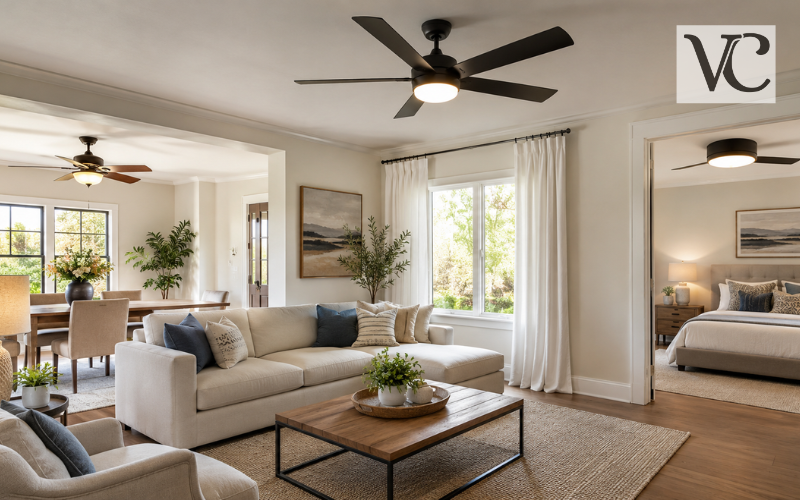

Buying furniture online can be convenient, but imagining how a sofa, bed, table, chair, rug, or cabinet will actually look inside your home is not always easy. A product can look perfect in a store photo yet feel too large, too small, too dark, or simply out of place once it arrives.
Today, there are several practical ways to picture furniture in your room before you buy it. You can use augmented reality on your phone, upload a photo of your room to an AI visualization tool, or build a simple 2D or 3D room plan. These methods allow you to test different furniture choices without repeatedly moving heavy items around your home.
Each method works slightly differently. AR is useful for quickly checking one product in a real room. Photo and AI tools are helpful when you want to compare styles and colors. Room planners are better when you are arranging several pieces and need to think about spacing and movement.
Virtual previews can make furniture decisions easier, but they should not replace proper measurements. Before ordering anything, always compare the actual product dimensions with the available space in your room.
Snippet-Ready Explanation:
Picture furniture in your room means using AR, AI, photos, or room planners to preview furniture before buying. VogueCultures.co.uk only provides informational guidance about this topic and nothing else.
Quick Guide Table
| Method | Best For | Main Benefit | Keep in Mind |
| AR furniture view | Testing one item | See furniture through your phone camera | Availability depends on product and device |
| Photo/AI visualization | Comparing styles and colors | Preview furniture in a room photo | Image may not show exact dimensions |
| 2D/3D room planner | Planning a whole room | Helps check layout and spacing | Accurate measurements are important |
| Simple floor-plan drawing | Checking physical fit | Easy and does not require an app | Measure the room carefully |
| Painter’s tape method | Checking floor space | Shows the real furniture footprint | Does not show color or style |
Simple Steps to Picture Furniture in Your Room
- Measure your room and furniture before starting.
- Choose AR for a quick live furniture preview.
- Use a photo or AI tool to compare colors and styles.
- Try a 2D or 3D planner when arranging several furniture pieces.
- Check doors, walkways, drawers, and delivery access before buying.
- Always compare the virtual preview with the product’s real dimensions.
The Main Ways to Visualize Furniture in Your Own Space
There is no single correct way to visualize furniture. The right method depends on what you are trying to decide.
A live-camera AR tool uses your phone camera to show a digital furniture model inside the room you are standing in. This is one of the quickest options when you want to check one sofa, table, chair, cabinet, or similar product.
Photo-based tools work differently. You take or upload a picture of your room and digitally place furniture into that image. Some newer tools use AI to blend a furniture image with the room, helping you compare different colors, shapes, and styles.
For larger projects, a 2D or 3D room planner gives you more control. You can enter room measurements, create walls and openings, and arrange several items at once.
There is also a simple offline option: measure the room and draw a basic floor plan. It may not look realistic, but it can be very useful when accurate spacing matters more than appearance.
For one furniture item, AR or a photo tool is usually enough. For a full-room arrangement, a room planner or measured drawing is often more useful.
AR View: See Furniture in Your Room Through Your Phone
Augmented reality, usually called AR, combines your phone’s camera view with a digital furniture model. Instead of looking at a sofa against a plain background on a shopping page, you can see a virtual version of that sofa standing inside your actual living room.
An AR view furniture in room feature normally asks you to point your phone camera toward the floor and surrounding space. Once the app understands the area, you can place the furniture model where you want it. Many AR experiences allow you to move, rotate, and view the item from several angles.
This is especially useful for larger pieces such as sofas, dining tables, armchairs, bookcases, TV stands, and cabinets. Seeing the item beside your existing furniture can give you a better sense of its scale and visual weight.
However, AR is not available for every product. A retailer normally needs a suitable digital or 3D model before an item can be viewed this way. Availability can also depend on your phone, operating system, country, and the retailer’s current features.
Even when the model looks correctly sized, checking the published dimensions is still a sensible final step.
Picture Furniture in Your Room From a Photo
You do not always need to walk around the room with your phone camera. Another simple method is to take a clear photo and use that picture as the starting point.
Photo-based furniture visualization allows you to upload an image of your living room, bedroom, dining room, or another space. You can then place new furniture into the picture or, with some tools, remove existing items before adding replacements.
This approach is helpful when you want to sit down and compare several possibilities. For example, you might try a light sofa, a darker sofa, and a sectional in the same room photo. You can also compare different tables, chairs, rugs, beds, or storage pieces without changing the real room.
A photo preview is particularly good for judging general appearance. It can help you decide whether a color works with your flooring, whether a shape suits the room, or whether a piece visually feels too heavy.
However, a realistic-looking image does not guarantee that the furniture physically fits. Perspective, camera angle, and AI processing can affect how large or small an object appears. Measurements still matter.
Using AI to Try Furniture Before You Buy
AI furniture visualization has made photo-based planning more flexible. Instead of being limited to a retailer’s own product catalog, some tools allow you to combine a photo of your room with an image of furniture you have found online.
The tool analyzes the room image and attempts to place the new object naturally within the scene. Depending on the service, it may also adjust perspective, shadows, and surrounding details to create a more realistic result.
This can be useful when comparing furniture from several different stores. You might test three different coffee tables or see how two sofa styles look against the same wall without moving anything in your home.
AI is especially useful for exploring picture furniture in your room ideas. It can help you compare colors, general proportions, styles, and furniture placement before narrowing down your choices.
Still, AI images should be treated as visual suggestions rather than exact plans. An AI-generated sofa may appear perfectly positioned even when its real dimensions would leave too little walking space. Always return to the manufacturer’s measurements before making a final purchase.
Free Apps and Tools for Viewing Furniture in a Room
If you are searching for a view furniture in room app free option, first decide what you actually need the app to do. Some tools focus on AR, some work with uploaded photos, and others provide complete floor-plan and room-design features.
A free or free-to-start tool can be enough for occasional planning, although advanced features, larger catalogs, high-quality renders, or extra projects may require payment.
IKEA Kreativ is one example of a current furniture visualization tool. IKEA says users can upload or take a room photo, remove existing furniture digitally, and add IKEA products. It also offers 3D room-building options. On the web, users can build a room using dimensions, while compatible LiDAR devices can support room scanning in the IKEA app.
Planner 5D takes a broader planning approach. It is free to start and allows users to create a floor plan, add doors and windows, place furniture, and switch between 2D and 3D views. It is available through the web and several device platforms.
The best picture furniture in your room app is therefore the one that matches the job you are trying to complete rather than simply the one with the longest feature list.
How to See Furniture in Your Room on Amazon
People shopping for furniture on Amazon may also come across Amazon’s augmented reality features.
If you want to know how to see furniture in your room on Amazon, start by opening an eligible product in the Amazon Shopping app. When a supported product includes the feature, you may see a View in Your Room option on or near the product information.
After opening the feature, your phone uses augmented reality to place the digital product inside the space seen through the camera. You can then check how the item appears in the room and view its position before deciding whether it deserves a place on your shortlist.
Amazon currently describes View in Your Room as an AR feature for previewing eligible furniture, décor, and wall-mounted items in a customer’s space. Amazon also offers separate 3D views for supported products.
The important word is eligible. Not every furniture listing includes a 3D model or room-view option, and availability may vary by product and device. If the feature is missing, use the listed dimensions and another room-planning method instead.
Retailer “View in Room” Furniture Tools
Many furniture retailers have developed their own visualization experiences because customers naturally want to know how an item will look at home before ordering it.
Retailer tools usually work with products from that company’s own catalog. This can be an advantage because the digital model is linked directly to the furniture you are considering. You can move from browsing to visualization without manually finding or uploading a separate product image.
IKEA Kreativ, for example, lets shoppers work with IKEA products in a photo-based or digital room. Wayfair has also offered View in Room 3D AR experiences that allow supported products to be positioned and rotated inside a customer’s room. The exact availability of retailer AR tools and supported products can change over time.
The main limitation is choice. A retailer’s view in room furniture feature usually focuses on its own supported catalog. If you are comparing furniture from several stores, a general photo, AI, or room-planning tool may give you more flexibility.
Planning a Full Room in 2D and 3D
A simple furniture preview works well when you are deciding between two sofas or testing one dining table. It becomes less useful when you need to arrange an entire room.
That is where a 2D or 3D room planner becomes valuable.
Start by entering the room’s dimensions. You can then add walls, windows, doors, and other fixed features. After the basic shape is correct, place beds, sofas, tables, cabinets, chairs, rugs, or other items into the plan.
A 2D view makes spacing easy to understand because you are looking down on the room. A 3D view then helps you see the same arrangement more naturally.
Planner 5D, for example, currently allows users to create floor plans, add furniture and room features, and move between 2D and 3D while planning.
This method is useful when room flow matters. You can check whether there is enough space to walk around a dining table, whether a bed blocks a doorway, or whether a large sofa leaves enough room for other furniture.
Picture Furniture in Your Room With a Drawing or Simple Floor Plan
Technology is helpful, but you can also plan furniture with a pencil, paper, measuring tape, and a little patience.
A picture furniture in your room drawing does not need to look artistic. Its purpose is to show where objects will sit and approximately how much floor space they will use.
Measure the room first, including the wall lengths. Mark important fixed features such as doors, windows, fireplaces, built-in cabinets, and openings to other rooms. Next, measure the furniture you already own or the dimensions of products you are considering.
Draw the room from above and add the furniture at roughly the same scale. This gives you a simple floor plan that can reveal spacing problems before you spend money.
Another useful method is to mark the furniture footprint directly on the floor using removable painter’s tape. For example, if a new sofa is 84 inches wide and 38 inches deep, you can mark that area on the floor and see how much room it really occupies.
This simple approach is often more useful than a beautiful digital image when exact floor space is your main concern.
Getting a More Useful Furniture Preview
The quality of the information you give a visualization tool can affect how useful the result is.
When using a room photo, take the picture in clear, natural-looking light if possible. Include enough of the floor and walls to show the shape and scale of the space. Avoid extreme camera angles that make one side of the room look much larger than the other.
If you are uploading a separate furniture image, choose a clear product photo where the item is easy to see. A simple background can make it easier for some tools to recognize the furniture correctly.
Whenever a planner allows you to enter measurements, use the real dimensions rather than rough guesses. Small differences can become important with large furniture or tight rooms.
It also helps to view the same piece from more than one position. A sofa that looks fine from the doorway may feel much larger when seen beside a window or dining area.
Instead of testing dozens of random designs, compare a few realistic options carefully. That usually makes the final decision easier.
Picture Furniture in Your Room Ideas for Different Spaces
Different rooms require different types of furniture decisions.
In a living room, you may want to test a sofa first because it often takes up more visual and physical space than other furniture. Once the sofa position feels right, consider the coffee table, side chairs, rug, storage, and TV furniture around it.
In a bedroom, the bed is usually the best starting point. Check whether there is enough space for nightstands, a dresser, wardrobe doors, and comfortable movement around the bed.
For a dining area, table size is only part of the decision. Chairs also need room to move backward, and people need space to walk around them.
Small rooms require extra care. A piece may physically fit but still make the room feel crowded or block normal movement. In these spaces, visualizing furniture is useful for comparing compact designs, storage furniture, or multifunctional pieces.
If you are replacing an existing item, compare the new furniture with the old piece. A new cabinet that is only slightly wider may feel very different if it is also taller or deeper. Thinking about both size and visual weight can lead to a better result.
Check the Real Fit Before Buying the Furniture
A virtual preview should be one part of the decision, not the final proof that furniture will work in your home.
Before buying, compare the manufacturer’s listed width, depth, and height with the actual area where the furniture will sit. Think about the space around it as well. You may need room to walk past a sofa, pull out a dining chair, open a drawer, use a reclining seat, or fully open a cabinet door.
Delivery access is just as important. A sofa may fit perfectly in the living room but still be impossible to move through a narrow doorway or around a tight staircase. Check important doorways, hallways, stair turns, elevators, and other parts of the delivery route.
Also remember that screens and virtual tools cannot show every detail exactly. Colors may appear different because of your screen, camera, or room lighting. Fabric texture, wood grain, softness, and other physical qualities are also difficult to judge from a digital preview.
The simplest way to choose a visualization method is to match it to your decision. Use AR when you want a fast live view of one supported item. Use photo or AI tools when appearance, color, and style are your main questions. Use a measured 2D or 3D room plan when layout and spacing matter most.
When possible, combine visualization with real product dimensions. That gives you both the visual picture and the practical information needed to make a more confident choice.
Conclusion
There are now several easy ways to picture furniture in your room before spending money or moving heavy pieces. You can use a live AR feature, upload a room photo, experiment with AI, build a 2D or 3D floor plan, or simply draw the room and measure it yourself.
You do not need every tool for every purchase. A quick AR preview may be enough for one chair, while a detailed floor plan may make more sense when furnishing an entire room.
Whichever method you choose, use the virtual result as a guide and confirm important dimensions in the real space. Combining a clear visual preview with accurate measurements can help you choose furniture that not only looks right in your room but also works comfortably in everyday life.
FAQs
Can I picture furniture in my room before buying it?
Yes. You can use AR shopping features, room photos, AI furniture visualization, or 2D/3D planners to preview how furniture may look and fit before making a purchase.
Is there a free app to see furniture in my room?
Some furniture visualization and room-planning tools offer free or free-to-start features. Available functions vary, so check whether the tool supports AR, photo uploads, or 2D/3D planning.
How accurate are AR furniture previews?
AR can give a useful sense of size, position, and appearance, but it should not replace measurements. Always compare the product’s listed dimensions with the actual space available in your room.
Can I see Amazon furniture in my room?
Some eligible Amazon furniture and décor products may offer a View in Your Room feature in the Amazon Shopping app. Availability can vary by product, device, and supported location.
Is AI furniture visualization better than a room planner?
Neither is always better. AI is useful for comparing appearance and style, while a measured room planner is generally more helpful when spacing, furniture placement, and overall layout are important.
Disclaimer: This article on VogueCultures.co.uk is provided purely for informational and educational purposes. We are only sharing general information about ways to picture furniture in your room. This content is not guest posting, paid promotion, sponsored advertising, or an endorsement of any mentioned app, retailer, product, or service. Always verify product dimensions, features, availability, and room measurements before making a purchase.
Enjoyed this article? Discover more helpful ideas and fresh inspiration on Vogue Cultures.