Advertisement Feature
The before and after is the most watched format in home and beauty content, and most of them are quietly dishonest.
Not deliberately, usually. Somebody films the before in a dim room on a phone held at waist height, then films the after an hour later by the window with better light and a steadier hand. The result looks like a transformation and half of it is the lighting.
That gap between what changed and what only appears to have changed is the whole subject. It decides whether a video is useful to somebody watching, and in the UK it can decide whether it is lawful.
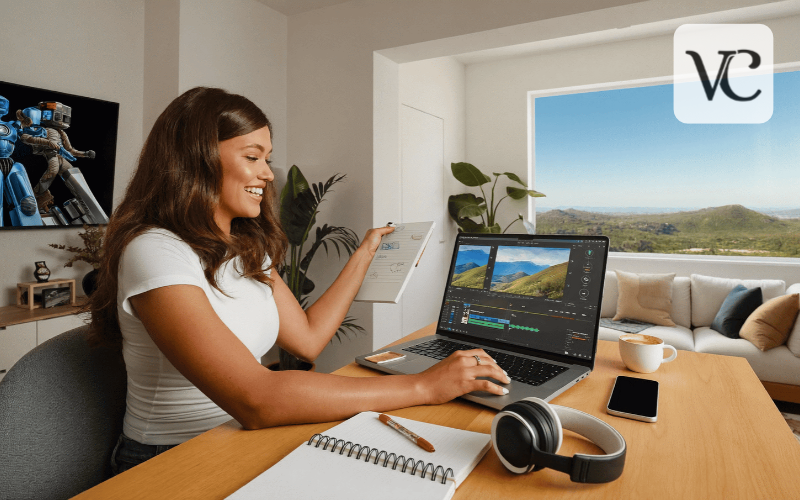
An AI Video Editor with advanced editing features from Higgsfield handles exposure, stabilisation, trimming, and captions to make footage more usable. However, editing must never cross the line into misleading or falsifying the original content.
Why Do Before and Afters Look Fake?
Because the camera changed, not just the subject.
Five things shift between a before shot and an after shot, and each one makes the result look better regardless of what was actually done.
- Light, which is the biggest by a wide margin
- Angle, since a few degrees changes everything
- Distance, which alters apparent size and detail
- Focus, where the after is sharp and the before is not
- Time of day, which changes colour temperature entirely
An AI Video Editor can match exposure between two clips, which fixes some of this honestly. It cannot match an angle that moved or recovered focus that was never there.
The viewer may not identify what is wrong. They register it as a video that feels staged, and they stop watching.
How Do You Film One Properly?
By making the camera position a fixed thing rather than a decision.
- Mark the spot you stood in with tape, or use a tripod
- Film at the same time of day, which keeps the light consistent
- Lock the exposure before any AI Video Editor work, so the camera does not adjust between takes
- Lock the focus, for the same reason
- Put something in frame that does not change, for reference
The fixed reference object is the trick that separates convincing from merely true. A mug, a plant, a doorframe. Something in both shots that is visibly identical tells the viewer the camera did not move.
Film the before even when you are not sure you will use it. Nobody has ever regretted having it, and everybody has started a job and realised two minutes in that they should have.
What Can an AI Video Editor Legitimately Fix?
The capture, not the content.
- Exposure, so two clips shot at different times match
- Colour balance, correcting a camera that read the light wrong
- Stabilisation, for handheld footage that wobbled
- Trimming, which is most of what editing actually is
- Captions, which the majority of viewers now rely on
Matching exposure between a before and an after is the single most useful thing an AI Video Editor does for this format, because it removes the lighting advantage rather than exploiting it.
That is worth stating plainly. Correcting the before so it is lit the same as the after makes the comparison more honest, not less.
Everything in that list is about how the camera recorded. Nothing in it changes what was in front of the camera.
What Must Never Be Changed?
The state of the thing. This is the line.
- Never make a before look worse than it was
- Never make an after look better than it is
- Never remove a mark from the after that is still there
- Never add a mark to the before that was not there
- Never use an AI Video Editor to produce a result that did not happen
The first point is the one people rationalise. Darkening a before, adding grain, letting the camera find the worst angle. Each feels like a presentation and together they manufacture a difference that the product or method did not produce.
Somebody watching is deciding whether to try the thing. A manufactured result means they spend an afternoon and some money on something that was never going to work for them.
Show what happened. If it was a modest improvement, it was a modest improvement, and that video is more useful than an impossible one.
Does UK Advertising Law Apply?
It does, the moment money or product is involved, and the rules are specific about this format.
The UK advertising codes apply to marketing communications, which includes content posted by somebody who has been paid, gifted a product, or has a commercial interest. Before and after imagery is addressed directly, particularly in cosmetics and beauty.
What the codes require in substance:
- Results shown must be achievable with the product as used
- Before and after images must be comparable in lighting, angle and preparation
- Any post-production affecting the apparent result is a problem
- Claims must be substantiated, including implied ones
- Commercial relationships must be disclosed clearly
The comparability requirement is the relevant one here. Two images that differ in lighting are not a fair comparison, and the regulator has upheld complaints on exactly that point.
If a product was supplied free, that is a commercial relationship. The disclosure obligation attaches whether or not anybody paid.
Does Skincare Change the Rules?
It tightens them considerably, and this is where the regulator pays most attention.
Skin content carries an extra problem beyond lighting. Skin changes with hydration, time of day, temperature and what was applied minutes earlier, none of which is the product.
What makes a skincare comparison unreliable:
- Time of day, since skin looks different morning and evening
- Recent cleansing, which flushes colour into the face
- Hydration and temperature, both of which alter appearance
- Makeup residue, visible or not
- An AI Video Editor exposure change, which reads as a skin change
The regulator has upheld complaints about beauty before and afters repeatedly, and lighting differences are among the most common grounds.
Anything implying a medical or treatment outcome is a separate matter again, with its own requirements and its own evidence standard.
Film at the same time of day, on bare skin, with nothing applied in the hour before either shot. That is the only version worth publishing, and it is still only one person’s result.
Say so. One person’s skin is one person’s skin, whatever the product did.
What About Cleaning Content Specifically?
The same rules, applied to a format that rewards exaggeration.
Cleaning videos perform extraordinarily well, and the temptation is obvious. A grimier before means a more satisfying after, and both are controlled by whoever holds the camera.
- Film the mess as it was, not staged worse
- Show the time it actually took, or say how long
- Include the effort, not only the result
- Note what the method does not fix
- Keep the AI Video Editor work to exposure and pace
The time point is the honest one most creators skip. A result achieved over three hours presented as a quick fix sets up everybody who tries it to feel they did it wrong.
A piece on cleaning a house properly is useful because it is realistic about what each task takes. A video should be the same.
Should the Video Be Captioned?
Yes, and almost nobody does it properly.
A majority of social video is watched without sound. A cleaning or beauty video where the method is explained in a voiceover reaches a fraction of its audience without captions.
- Caption anything with spoken instruction
- Review automatic captions, which mangle product names
- Put key steps on screen as text as well
- Keep captions legible against a busy background
- Use the AI Video Editor caption pass as a starting point
The product name point matters commercially. Automatic captioning routinely mishears brand names, and a video recommending something the captions spell wrong is a video nobody can act on.
Reading them through takes two minutes.
How Long Should It Be?
Shorter than feels right, with the result early.
- Open with a glimpse of the after, briefly
- Show the before properly, so the comparison is clear
- Compress the middle, which is where attention goes
- End on the comparison, held long enough to register
- Keep an AI Video Editor cut under a minute for social
The opening glimpse is what earns the watch. People decide in two seconds whether the result is worth their time, and a video that withholds it loses them before the before.
Holding the final comparison matters more than people think. Three seconds on a split screen does more than thirty seconds of process.
Can the Same Footage Be Reused?
It can, and keeping it organised is what makes that possible.
A before and after shot properly is useful for more than one piece. A product review, a seasonal post, a longer guide, a comparison against a different method later.
- Keep the raw clips, not just the published AI Video Editor cut
- Name them so you can find them in six months
- Note the conditions in the AI Video Editor project, including light and time
- Keep the Higgsfield project so a new version matches the old
- Store it somewhere other than the phone
The conditions note is what lets you shoot a matching clip later. Returning to the same spot in the same light six months on produces a comparison nobody else can make.
A Higgsfield project holding the treatment means the second video looks like the first, which is most of what makes a series feel like a series.
What Equipment Is Actually Needed?
A phone and something to hold it still.
- A phone, which is entirely sufficient
- A cheap tripod, or a stack of books, which matters more than any AI Video Editor setting
- A window, which is better than any light you can buy
- Tape on the floor, to mark where you stood
- Higgsfield in a browser, since nothing needs installing
The window point is worth repeating. Daylight through a window is the most flattering and most consistent light available, it costs nothing, and it is why professional kitchens and studios are built around windows.
Film at the same time on both days. That one habit does more than any equipment.
What Would One Video Take?
Twenty minutes, split across the job.
- Mark the spot and film the before, properly
- Do the actual work, filming a little of it for the AI Video Editor middle section
- Film the after from the marked spot, same light
- Match the exposure in Higgsfield between the clips
- Trim it to under a minute with the result early
- Caption it, reviewed
- Save the Higgsfield settings so the next one matches
Then watch it muted, because that is how most people will see it.
The marked spot is the whole technique. Everything after it is assembled.
Conclusion
The before and after works because people believe it, and it stops working the moment enough of them stop.
An AI Video Editor does the honest half of this properly, which is matching two clips that were shot in different light, and Higgsfield runs it in a browser with nothing to install.
Mark the spot, film at the same time of day, and show what actually happened. The modest result that is real is worth more than the dramatic one that is not.
FAQ’s
Why do before and afters look staged?
The camera changed as well as the subject. Light, angle, distance and focus all shift, and each one flatters the after regardless of what was done.
Can an AI Video Editor match lighting between clips?
Yes, and doing so makes the comparison more honest rather than less, because it removes the lighting advantage the after usually has.
What can never be edited?
The state of the thing. No darkening as before, no cleaning up an after, no result that did not happen.
Do UK advertising rules apply to a gifted product?
Yes. A gifted product is a commercial relationship, and the codes require before and after images to be comparable in lighting and preparation.
How long should the video be?
Under a minute, with a glimpse of the result in the first two seconds and the final comparison held for three.
Is there a free way to try this?
Higgsfield operates a free tier as part of an AI creative suite, which covers editing and captioning a video before committing to anything.
Enjoyed this article? Discover more helpful ideas and fresh inspiration on Vogue Cultures.
This article has been published as part of a paid content collaboration that helps support Vogue Cultures. We aim to share relevant, informative, and valuable content with our readers. The views expressed in contributed articles do not necessarily reflect those of Vogue Cultures.